Refund policy

Software extensions sold on idealpc.ch – version of 5 October 2026

1. 14-day money-back guarantee

If an extension bought on idealpc.ch does not suit you, you can request a full refund within 14 days of purchase, without giving a reason.

2. How to request a refund

  • Purchases paid via Paddle (card, PayPal, etc.): our order process is conducted by our online reseller Paddle.com, which is the Merchant of Record for these orders. Submit your request at paddle.net (using the email address used for the purchase) or email us at This email address is being protected from spambots. You need JavaScript enabled to view it. and we will forward it to Paddle.
  • Purchases on invoice (customers in Switzerland): email us at This email address is being protected from spambots. You need JavaScript enabled to view it. with your order number.

3. Timing and method

Refunds are made to the original payment method (or by bank transfer for purchases on invoice), normally within 14 days of the request being accepted.

4. Effect of a refund

After a refund, the corresponding licence key is deactivated: access to downloads, updates and support for that extension ends.

5. Abuse

A request may be refused in case of fraud or obvious abuse (for example repeated purchases and refunds of the same extension).

6. Statutory rights

This guarantee is in addition to, and does not limit, the rights you have under applicable law, in particular as a consumer.

7. Contact

IdealPC Sàrl, Rue des Charmettes 67, 2000 Neuchâtel, Switzerland – This email address is being protected from spambots. You need JavaScript enabled to view it. – +41 79 444 88 34

  • Hits: 11

Ideal Statut

Ideal Statut – Component + YOOtheme Pro element for Joomla

Component + YOOtheme Pro element · v1.0

A live status board for your facilities, updated by your staff from a phone in one tap.

CHF 49.–

1 year of updates and e-mail support included

Live demo ↗ Documentation

Secure card payment via Stripe · Instant download · Prices in Swiss francs

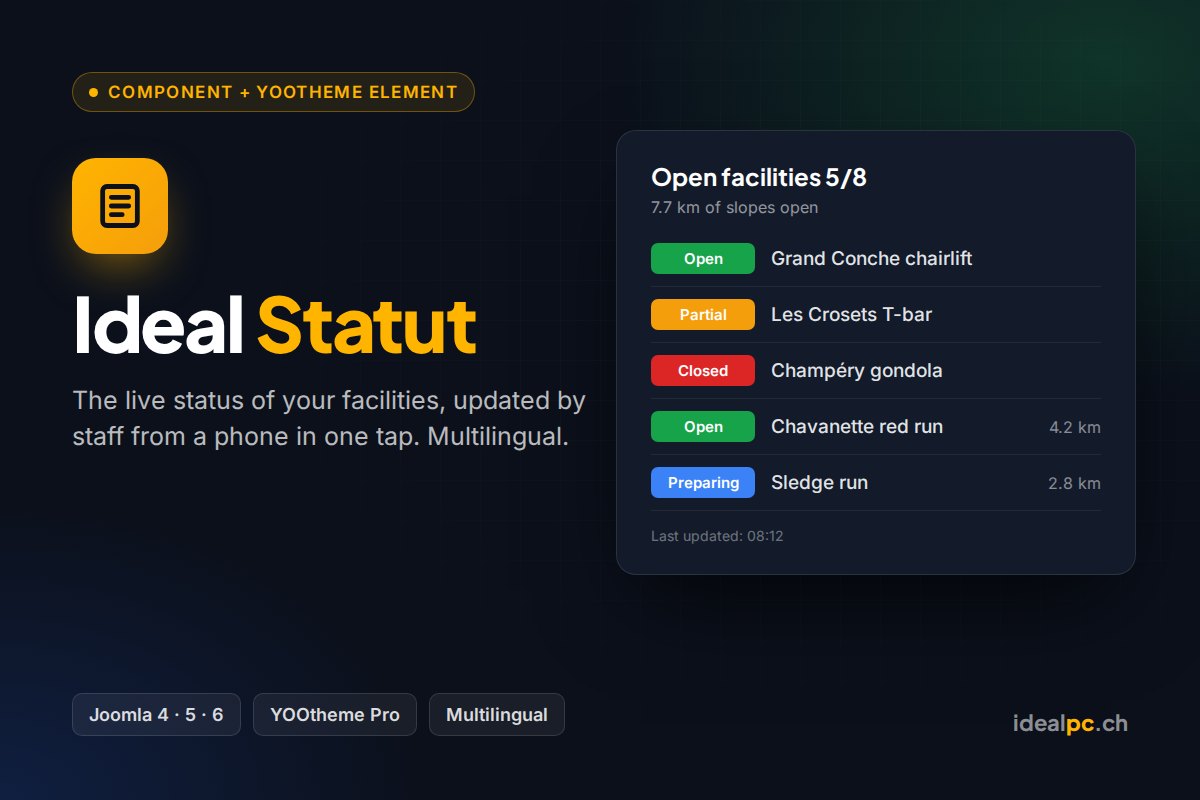
Ideal Statut shows the live status of your facilities: ski lifts, slopes, pools, halls, car parks, trails… Each item has a coloured status (open, partial, preparing, closed, maintenance, full) and the summary works itself out: “5/8 in operation · 7.7 km of slopes open”.

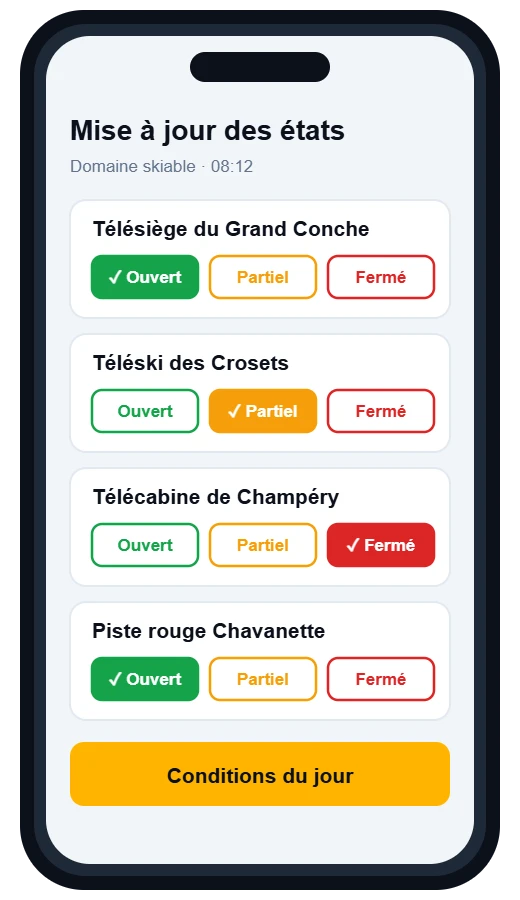
Staff update it from their phone, in one tap, without opening the page builder. Everything is multilingual: every text can be translated into your site’s languages.

View the live demo ↗

What’s included

  • Joomla component: boards, items, groups, 8 statuses with colours and labels
  • “Status update” page for staff (mobile, Joomla permissions)
  • “Ideal Statut” YOOtheme Pro element: list, grid or chips
  • Joomla module for sites without YOOtheme
  • Automatic import from the old “Gestion d’installation” module

Screenshots

Status update page on a phoneExample: ski area

Compatibility

Joomla 4.4 · 5 · 6PHP 8.1 – 8.4YOOtheme Pro 4 · 5FR · EN · DE · ITMobile updates

Settings in YOOtheme are shown in the administrator’s language; on a multilingual site, the texts visitors see follow the language of each page.

Included

Instant download after payment and a licence key sent by e-mail. Paste it once in Joomla (System › Update Sites): for 1 year, every new version appears in System › Update › Extensions and installs in one click. E-mail support included.

  • Hits: 51

Ideal Horaires

Ideal Horaires – YOOtheme Pro element for Joomla

YOOtheme Pro element · v1.4

Class, workshop or appointment schedules as an accordion, with availability badges and a booking button.

CHF 29.–

1 year of updates and e-mail support included

Live demo ↗ Documentation

Secure card payment via Stripe · Instant download · Prices in Swiss francs

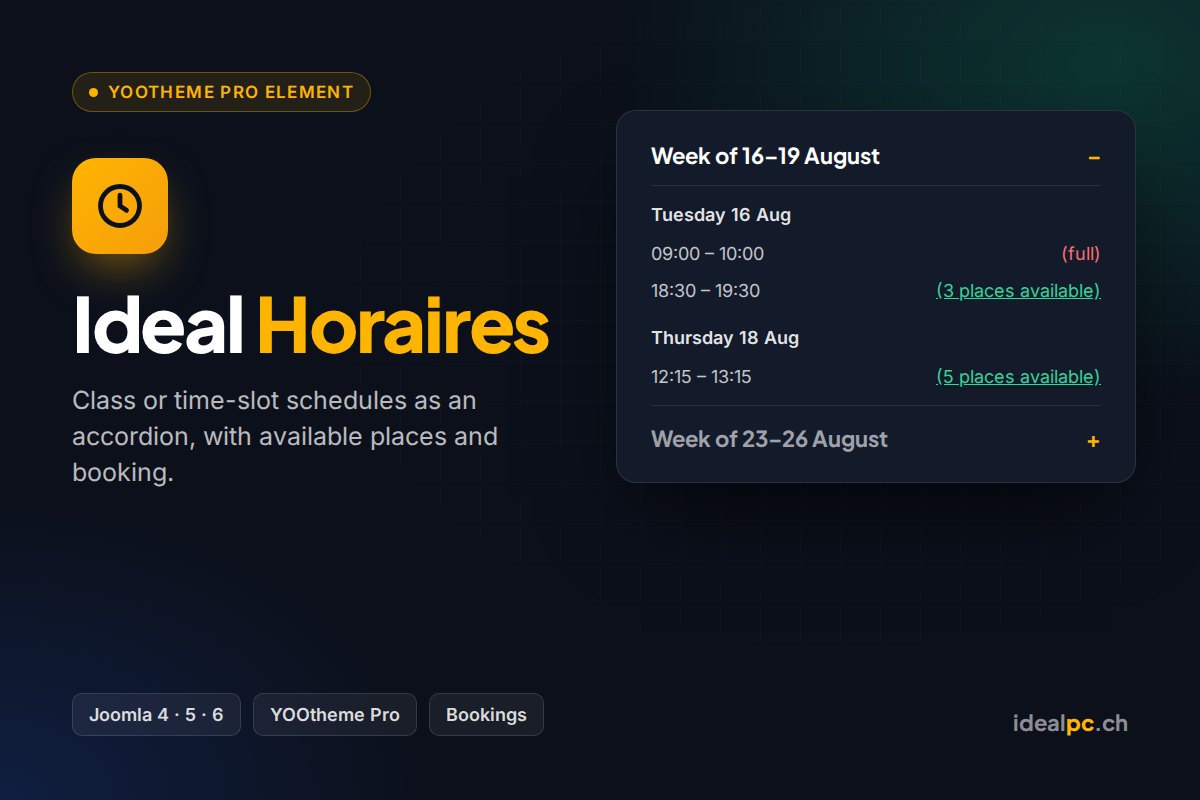
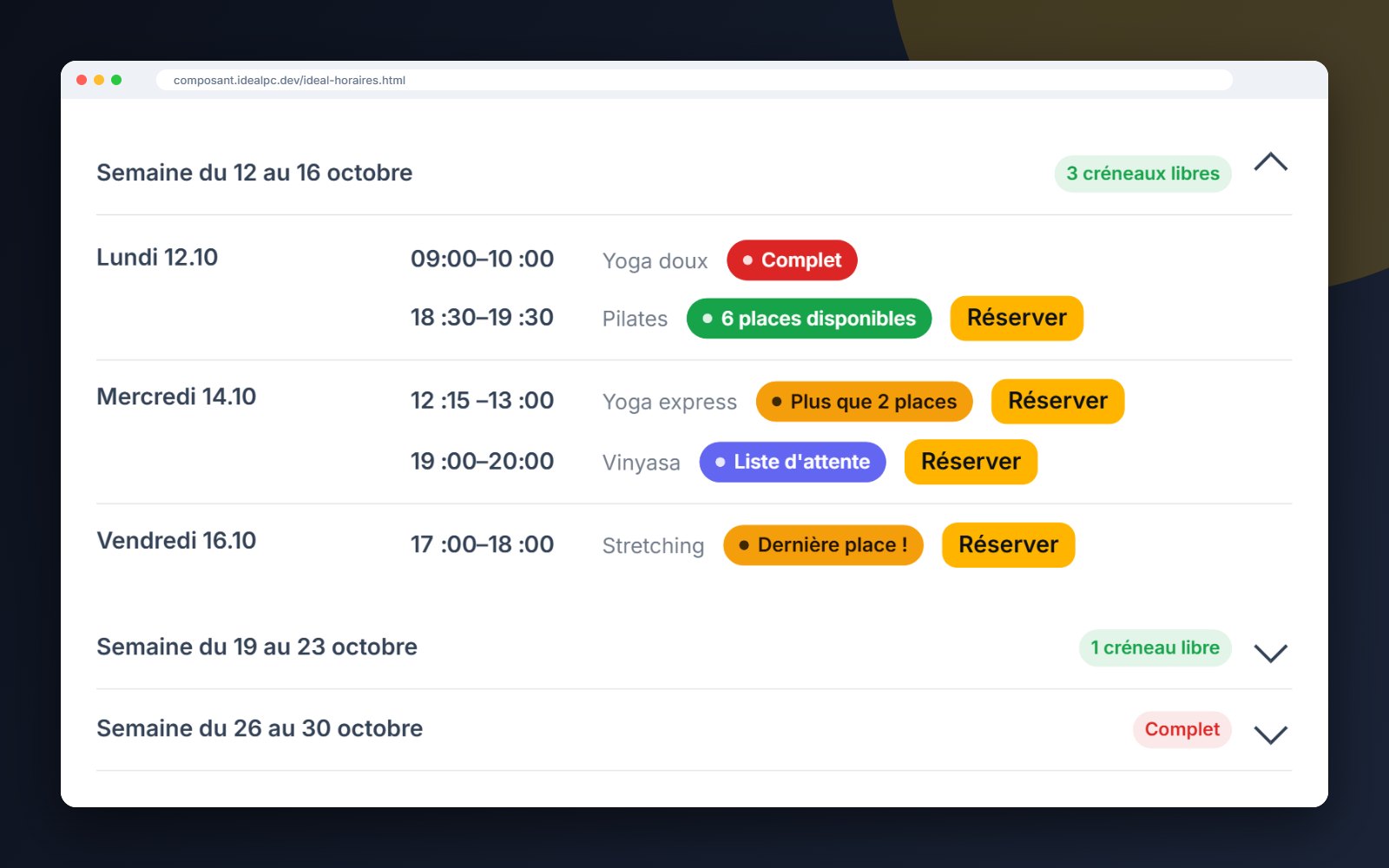
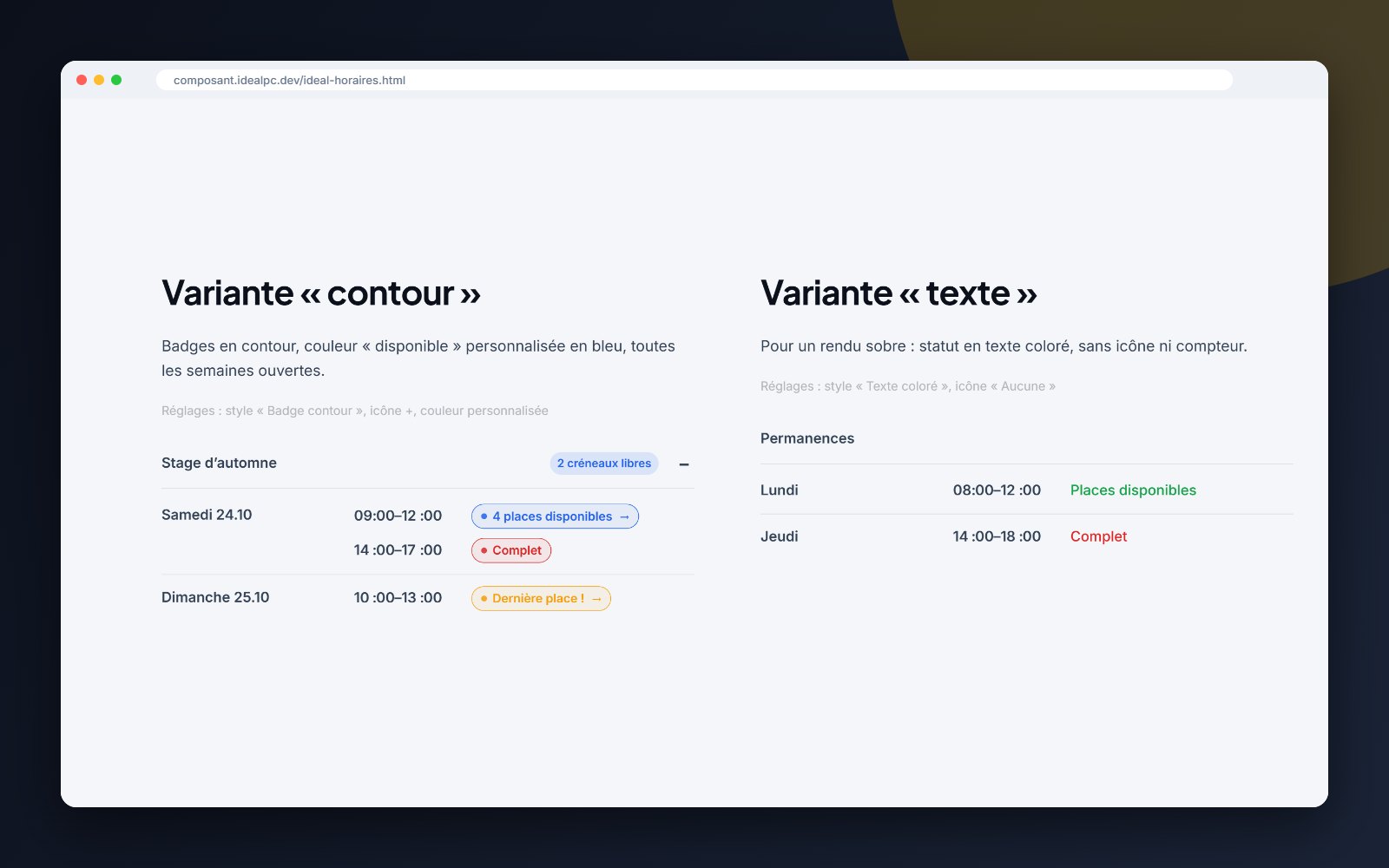
Ideal Horaires displays a schedule of classes, workshops or appointments as an accordion: weeks › days › time slots. Each slot shows its availability with a coloured badge and can link to your booking page.

View the live demo ↗

Screenshots

Schedule with availability badges and Book buttonOutline and text variants

Compared with the YOOtheme accordion

FeatureYOOtheme AccordionIdeal
Collapsible content by title✓✓
Weeks › days › slots structure, no table to hack together—✓
Availability badges: available, limited places, last place, full—✓
Waiting list and cancelled statuses (time struck through or hidden)—✓
General or per-slot booking link, “Book” button—✓
“3 free slots” counter in each week’s title—✓
Adjustable labels and colours, defaults in the plugin configuration—✓
First week open, + / chevron / no icon—✓

What’s new in versions 1.2 to 1.4

  • Version 1.4: “Book”, “3 places available”… are shown automatically in the page language (en, fr, de, it)
  • Status badges in three styles: solid, outline or text
  • “Limited places” threshold and “Last place!”
  • New statuses: waiting list and cancelled
  • “Book” button, per-slot link and note (“with Marie”, “Room 2”)
  • Global configuration in Extensions › Plugins: labels, colours, style
  • Direct ZIP installation (previously: a child theme to copy via FTP)
  • Automatic updates in Joomla with your licence key

Compatibility

Joomla 4.4 · 5 · 6PHP 8.1 – 8.4YOOtheme Pro 4 · 5FR · EN · DE · IT

Settings in YOOtheme are shown in the administrator’s language; on a multilingual site, the texts visitors see follow the language of each page.

Included

Instant download after payment and a licence key sent by e-mail. Paste it once in Joomla (System › Update Sites): for 1 year, every new version appears in System › Update › Extensions and installs in one click. E-mail support included.

  • Hits: 48

Ideal Grid

Ideal Grid – YOOtheme Pro element for Joomla

YOOtheme Pro element · v1.4

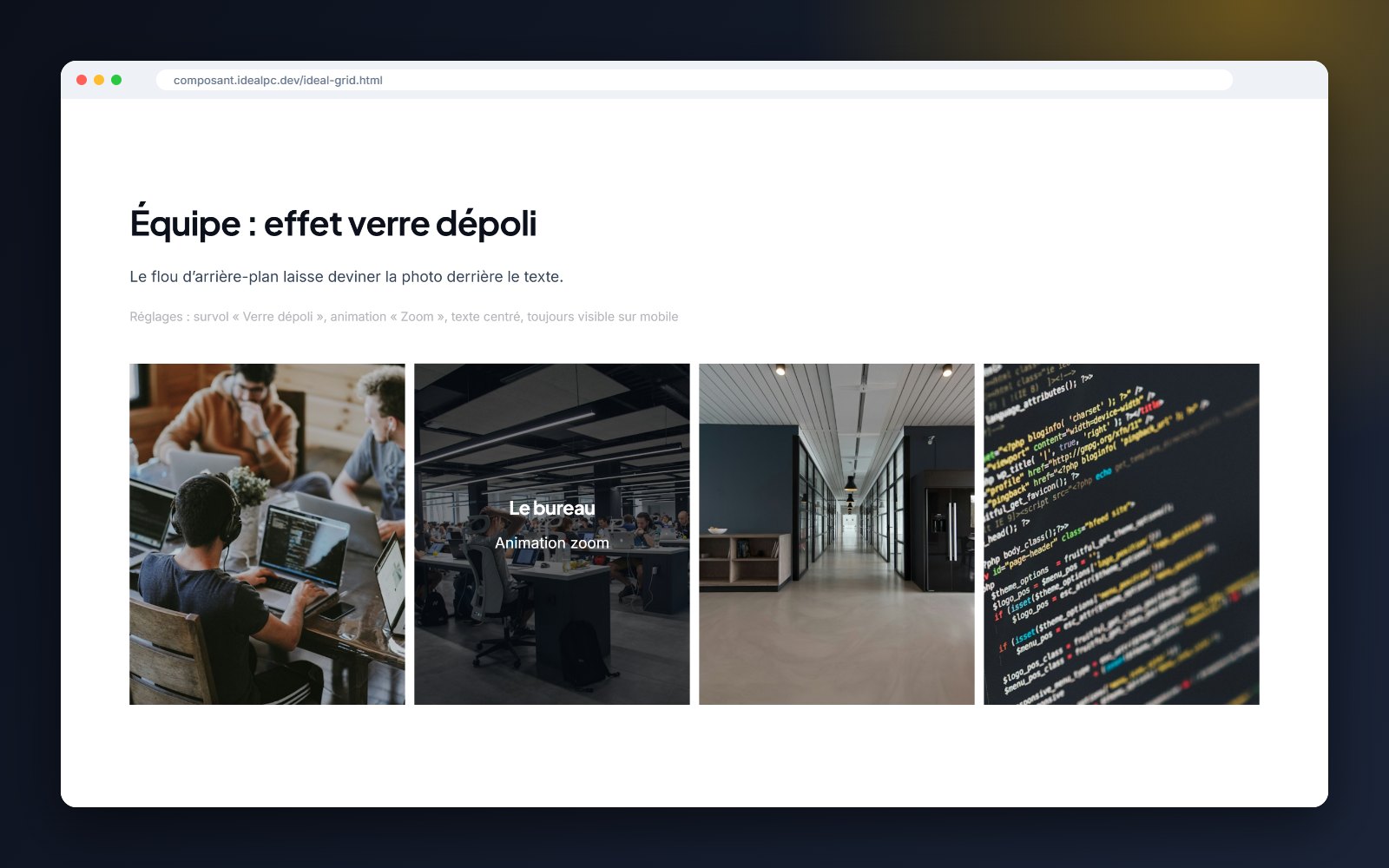
The full YOOtheme Pro grid, plus text on hover, badges, gradient and frosted-glass overlays.

CHF 29.–

1 year of updates and e-mail support included

Live demo ↗ Documentation

Secure card payment via Stripe · Instant download · Prices in Swiss francs

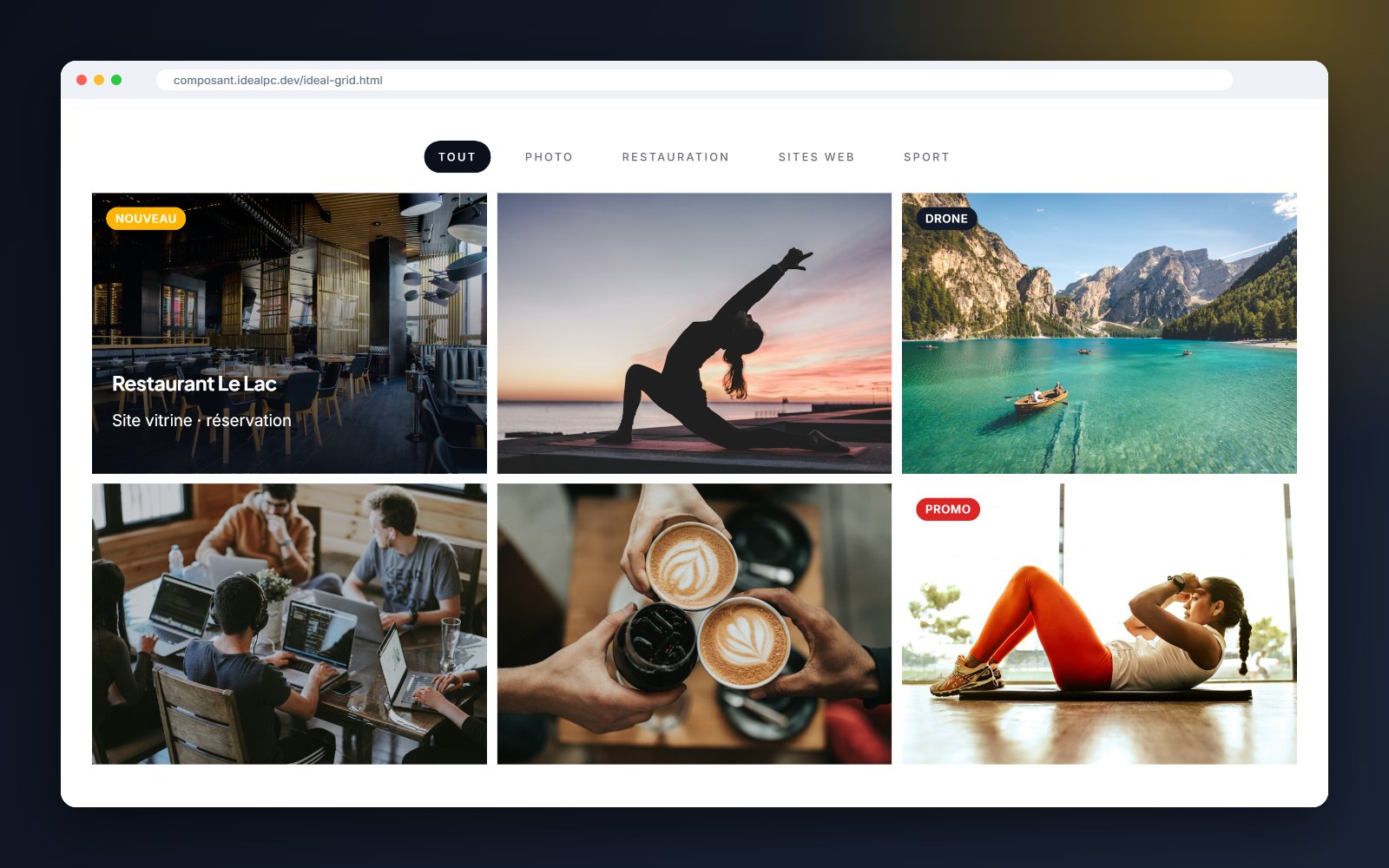
Ideal Grid takes the entire YOOtheme Pro grid and adds what it lacks for a portfolio, a shop or a team page: text on image hover, badges and polished hover effects. Everything is set in the page builder, without a single line of CSS.

View the live demo ↗

Screenshots

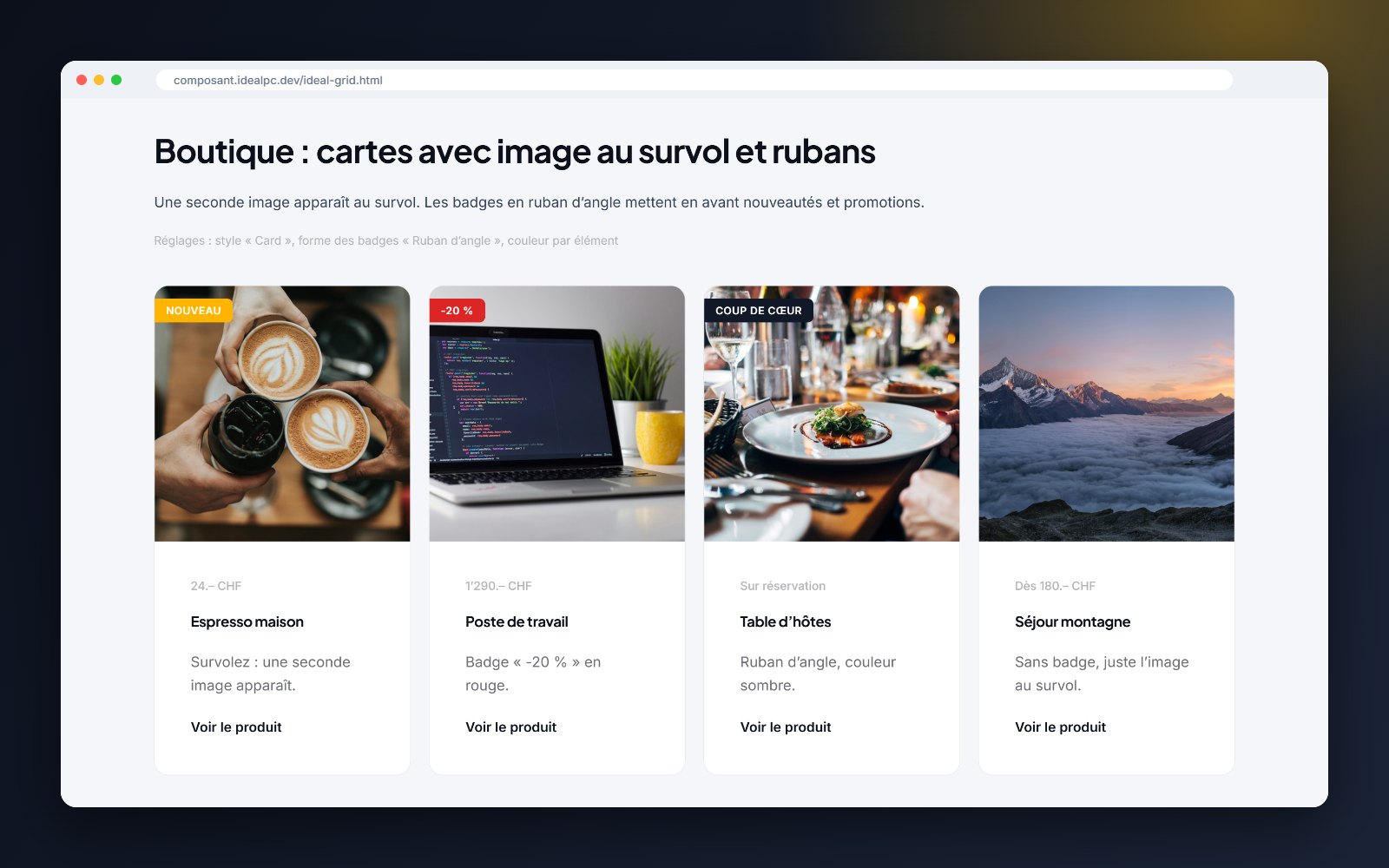
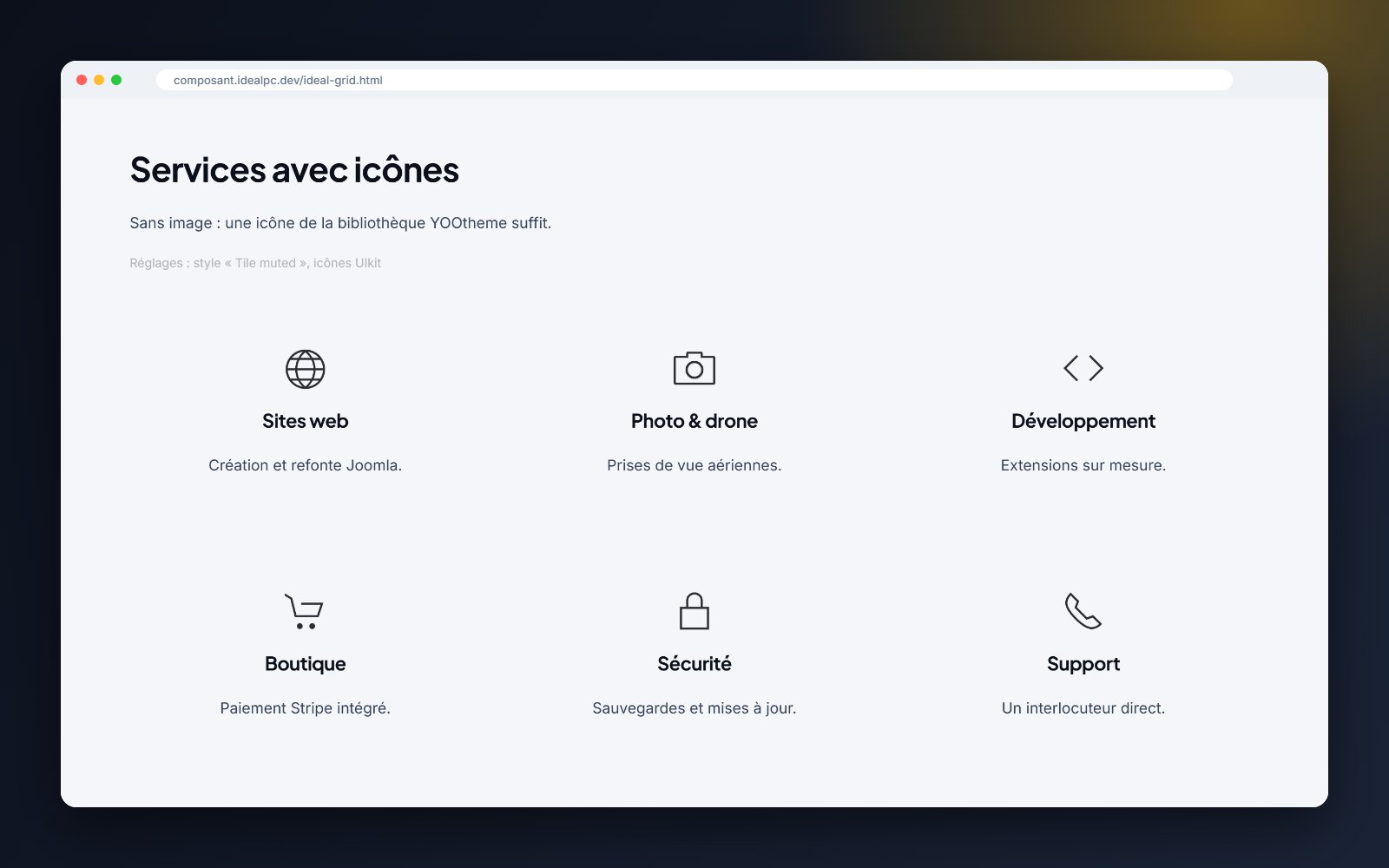
Filterable portfolio with badges and gradient on hoverShop cards with “New” and “-20%” ribbonsFrosted-glass effect on hoverServices grid with icons

What Ideal Grid adds to the YOOtheme grid

FeatureYOOtheme GridIdeal
Images, videos, icons, filters, masonry, lightbox✓✓
Title and text shown on the image on hover—✓
Hover background: gradient, frosted glass (blur), theme colours—✓
Hover text position (centre, bottom) and animation (fade, slide, zoom)—✓
Badges on the image: 6 colours, 4 positions, 3 shapes including a corner ribbon—✓
Hover text always visible on mobile (option)—✓
Element filed in the “IdealPC” group with its own icon—✓

What’s new in versions 1.2 to 1.4

  • Version 1.4: settings translated into English, French, German and Italian; Joomla 4.4 compatibility verified
  • Per-item badges (“New”, “Sale”, “-20%”…) with colour, position and shape
  • Three new hover backgrounds, positions and animations
  • Direct ZIP installation: no more unzipping
  • Automatic updates in Joomla with your licence key
  • Fixes: ghost “Read more” button with the lightbox, “image at bottom” variant, hover title unreadable on some themes

Compatibility

Joomla 4.4 · 5 · 6PHP 8.1 – 8.4YOOtheme Pro 4 · 5FR · EN · DE · IT

Settings in YOOtheme are shown in the administrator’s language; on a multilingual site, the texts visitors see follow the language of each page.

Included

Instant download after payment and a licence key sent by e-mail. Paste it once in Joomla (System › Update Sites): for 1 year, every new version appears in System › Update › Extensions and installs in one click. E-mail support included.

  • Hits: 64

Ideal Statut – Documentation

Ideal Statut shows the live status of your facilities (lifts, slopes, pools, halls, car parks, trails…) and lets your staff update it from a phone. This guide covers installation, boards, display and the staff page.

Requirements

  • Joomla 4.4, 5 or 6
  • PHP 8.1 to 8.4
  • YOOtheme Pro 4 or 5 for the page builder element (optional: a Joomla module is included for other templates)

Installation

  1. Download the ZIP from My licences or from the link in your order e-mail. Do not unzip it.
  2. In Joomla, open System › Install › Extensions and drop the ZIP into Upload Package File.
  3. Ideal Statut enables itself. There is nothing else to switch on.

A new version installs the same way, over the old one. Your content and settings are kept.

Licence key and updates

Your licence key (format IDPC-XXXX-XXXX-XXXX-XXXX) is in your order e-mail and on the My licences page. Paste it once per site:

  1. Open System › Update › Update Sites.
  2. Click Ideal Statut. Joomla shows “missing download key”.
  3. Paste the key into the Download Key field, then click Save & Close.

New versions then appear in System › Update › Extensions and install in one click. Updates and e-mail support are included for 12 months. After that, the extension keeps working with no time limit; only access to new versions stops. You can renew at any time from My licences.

The key does not go into the plugin settings or into YOOtheme. The same key works for all your IdealPC extensions.

The package installs the component (Components › Ideal Statut), the Joomla module and the YOOtheme Pro element.

1. Create a board

Open Components › Ideal Statut and click New board. A board groups the items shown together, for example “Ski area” or “Car parks”.

  • Title: shown above the board if you enable it.
  • Statuses: 8 statuses are available: open, partial, preparing, closed, maintenance, full and two custom ones. For each one, choose whether it is used, its colour, its label and whether it counts as “in operation” in the summary.
  • Summary: the count label (e.g. “Open facilities”), a unit (e.g. km, spaces) and a value label (e.g. “of slopes open”). The summary is calculated automatically: “5/8 in operation · 7.7 km of slopes open”.
  • Conditions: a short message such as today’s snow report. Staff can also edit it from their phone.
  • Free block: HTML text under the board (filtered with Joomla’s text filters, like articles).
  • Image: an optional pictogram or illustration.

2. Add items

In the board, click New item. Each item has a title, an optional group (e.g. “Lifts”, “Slopes”), a status, an optional value (length, spaces…), opening hours, a note (e.g. “Opening delayed due to wind”), a link and an icon. Use the arrows to change the order.

3. Display the board

  • YOOtheme Pro: in the page builder, add the Ideal Statut element (group “IdealPC”) and choose the board. Settings: layout (list, card grid or compact chips), badge style (solid, outline or coloured dot), columns, boxed card, “show only” (e.g. only open items) and what to display (title, image, summary, groups, values, notes, opening hours, conditions, free block, update date).
  • Other templates: publish the Ideal Statut module in a position. It has the same options.
  • Menu item: type Ideal Statut › Display a board.

4. Staff update page

  1. Create a menu item of type Ideal Statut › Update page (staff). It can be hidden from the menu.
  2. In Components › Ideal Statut › Options › Permissions, give the staff user group the Update statuses permission.
  3. Staff log in on their phone and change a status in one tap. They can also update values, notes and the conditions message.

Visitors who are not logged in see a login button; users without the permission see a clear message.

Multilingual sites

On a multilingual Joomla site, each board, status label and item shows extra fields for every content language. The text entered in the main fields is used as the default; translations are shown automatically on pages in that language. The settings in YOOtheme are shown in the administrator’s language (English, French, German or Italian).

Importing “Gestion d’installation”

If the older “Gestion d’installation” module is installed, Ideal Statut offers to import its data. Each module becomes a board and an unpublished Ideal Statut module is prepared in the same position: publish it and unpublish the old one.

FAQ

Do I need YOOtheme Pro?
No. The element is for YOOtheme Pro; the module and the menu item work with any template.
Can several boards be shown on the same page?
Yes, add one element or module per board.
Is the page cached?
If you use Joomla’s page cache, exclude the pages showing boards so visitors see changes immediately.
Can I change the colours?
Yes, each status has its own colour, and the element has a CSS field for finer adjustments.

Support

A question, a bug, an idea? Write to This email address is being protected from spambots. You need JavaScript enabled to view it. with your Joomla, PHP and YOOtheme Pro versions and, if possible, a link to the page. I reply personally, usually within one working day.